The computer that finally feels like home.
A warm, fast Linux that is ready the moment you boot it, beautiful by default and genuinely kind to newcomers.
Everything other systems make hard, Aether makes kind.
Most distributions hand you a blinking cursor and a manual. Aether is built the other way around: the friendly thing is the default, and the work is already done by the time you arrive.
A terminal that speaks plain language
Aether gives you commands like please install firefox, and shows you exactly what it will do before it runs.
Other systems hand you a blinking cursor and hope you memorized the manual.
Ready the second you boot
Editors, runtimes, codecs, and your tools are tuned in advance, so the desktop works on the first try.
Elsewhere you spend the first afternoon hunting for drivers and packages.
The friendly thing is the default. The desktop works on the first try, and a bad update is one rollback away at boot.
Your Windows games just run
Wine, DXVK, and Vulkan are configured ahead of time, so titles launch without a research project.
Most distros leave compatibility layers as homework.
A safety net that never sleeps
Timeline takes a Btrfs snapshot before changes, so a bad update is one rollback away at boot.
On other systems a broken update can mean a full reinstall.
A terminal that talks like you do.
Type what you want in plain words. Aether shows you the real command, explains it in one line, and never runs anything risky without asking.
New to Linux or not, you are always in control. Every command is shown in full, explained plainly, and gated behind a single confirm step, every time.
- $ please updaterefresh the whole system
- $ please search neovimfind a package by name
- $ please wificonnect without the manual
- $ please appsopen the App Store
- $ please why is my disk fulljust ask, it works it out
When the words are new, an AI assistant works it out.
The everyday verbs run offline and instantly. Ask for something else in your own words and please reasons it out, then shows the command for the very same confirm step. Anything destructive waits behind a second, independent check, and the assistant switches off whenever you like, so nothing leaves your machine.
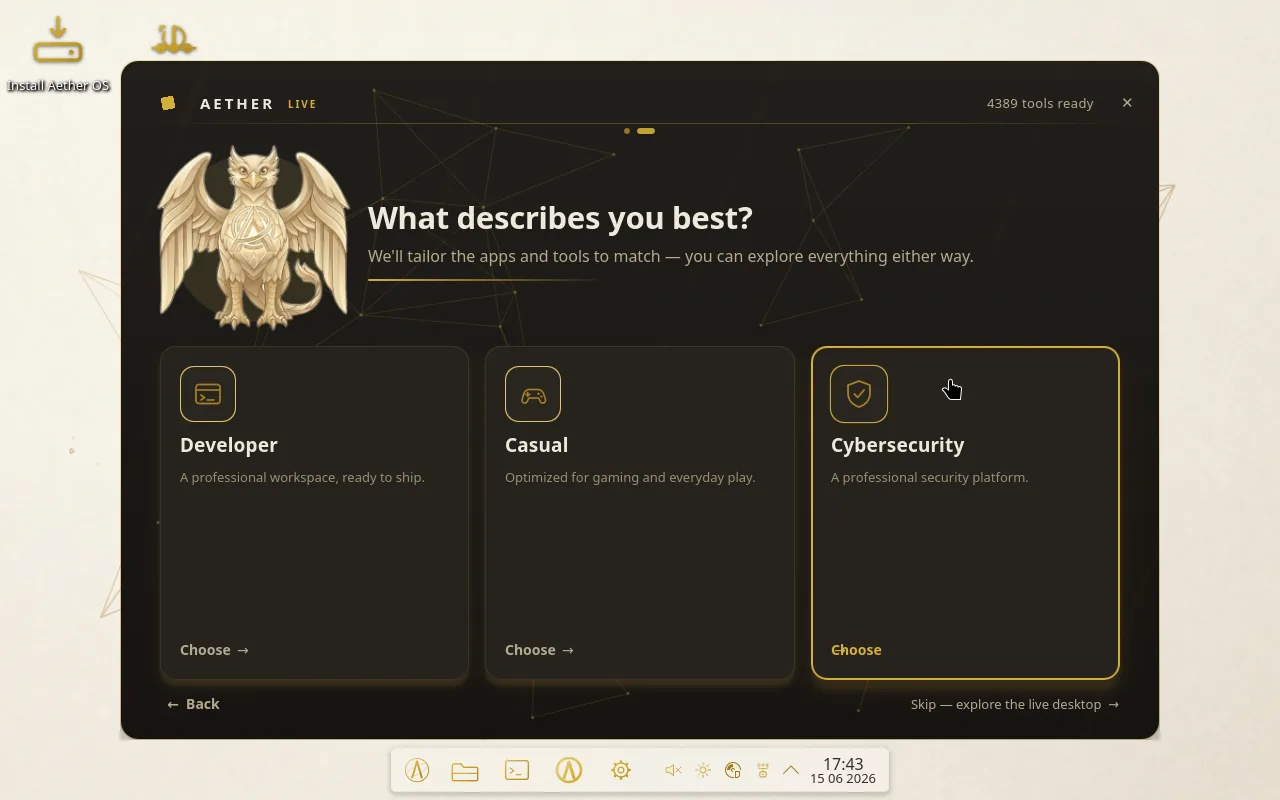
Pick how you work. Aether tunes itself.
One system, three editions of intent. Choose a focus on first boot and the desktop arrives already configured for the work you came to do.
Built for builders
A professional workspace, ready to ship.
A complete, professional development environment from the very first boot: language runtimes, editors, version control, containers, and a fast, refined terminal, all pre-configured and tuned. Open a shell and start shipping, nothing to set up first.
- Full toolchains, editors and version control
- Containers and virtualization, ready to go
- A refined, pre-tuned terminal
Tuned for play
Optimized for gaming and everyday play.
A smooth, effortless desktop optimized for gaming and everyday use. Windows titles run through Wine and DXVK with Vulkan-accelerated DirectX, performance is dialed in out of the box, and the system stays quiet, private, and out of your way.
- Windows games and apps via Wine plus DXVK
- Performance tuned for smooth, low-latency play
- Effortless and private by default
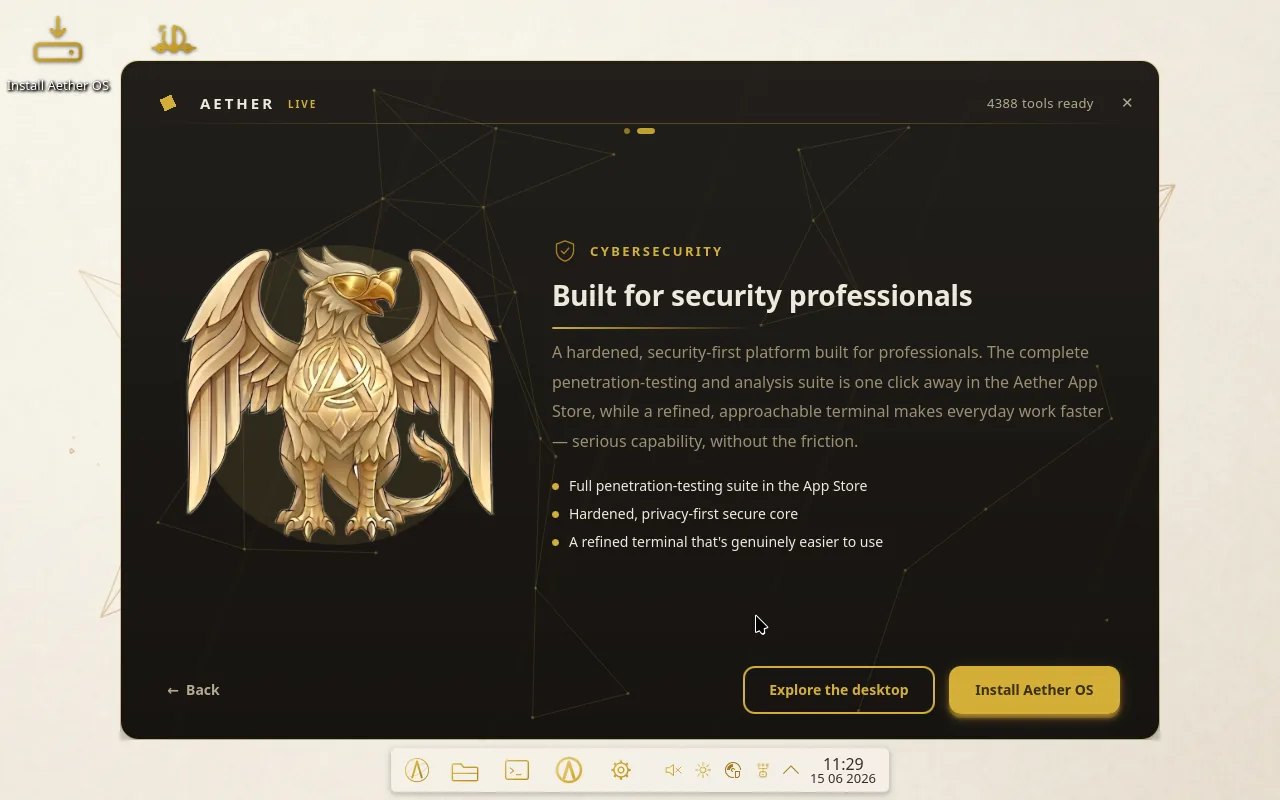
For security pros
A professional security platform.
A hardened, security-first platform built for professionals. The complete penetration-testing and analysis suite is one click away in the Aether App Store, while a refined, approachable terminal makes everyday work faster: serious capability, without the friction.
- Full penetration-testing suite in the App Store
- Hardened, privacy-first secure core
- A refined terminal that is genuinely easier to use
Crafted, cohesive, and quietly powerful.
The parts that make Aether feel finished, each one built in, themed, and ready before you ask. A short index of what ships in the box.
Timeline
Btrfs snapshots before every change, and a one-click rollback right from the boot menu.
Flow browser
A fast, private, Aether-styled browser, built in and ready on first launch.
Game Ready layer
Steam, Lutris, Bottles, and Proton, tuned in advance for Windows titles.
KDE Plasma 6
A gorgeous desktop, themed throughout, with a one-switch light and dark that flips the whole system live.
Snap Layouts
Drag a window to the top edge and drop it into tidy zones, previewed in gold as you aim.
The ash terminal
Plain-language commands with a clear preview and a confirm step, plus an optional AI assistant for whatever you ask in your own words.
Aether App Store
A curated store for games, creative tools, and the full security suite, a click each.
Private by default
Hardened, quiet, and respectful of your data straight out of the box.
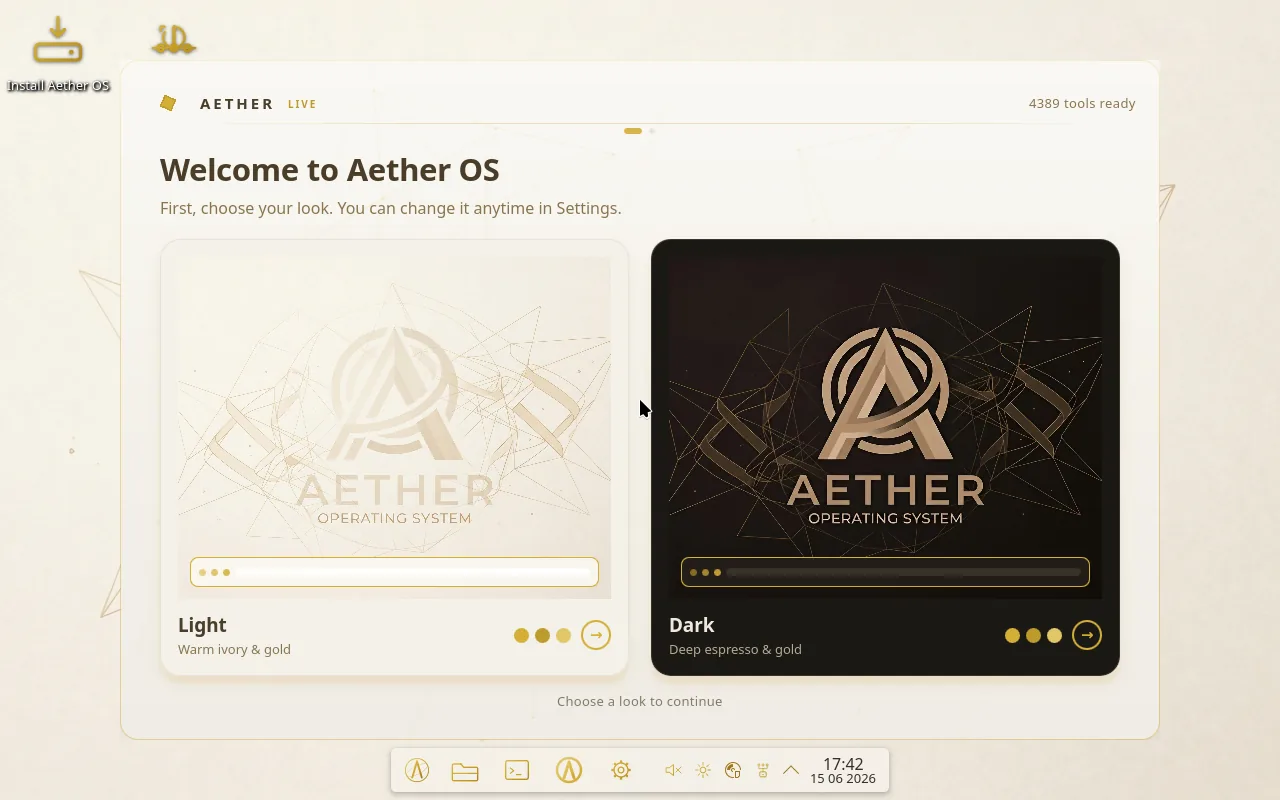
The same machine, dark and light.
Real screenshots from Aether OS 2026. Nothing staged, nothing rendered: the desktop, the welcome, the installer, and Flow, all speaking one gold language.
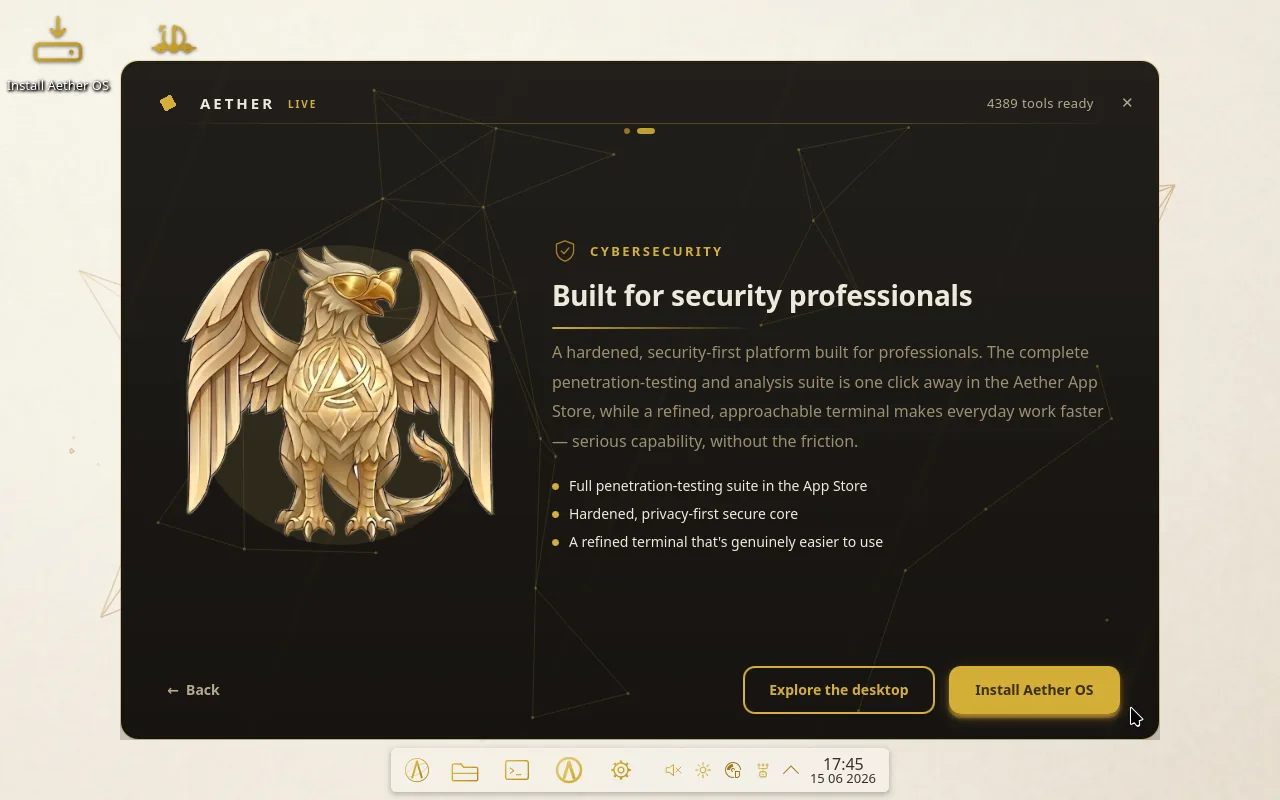
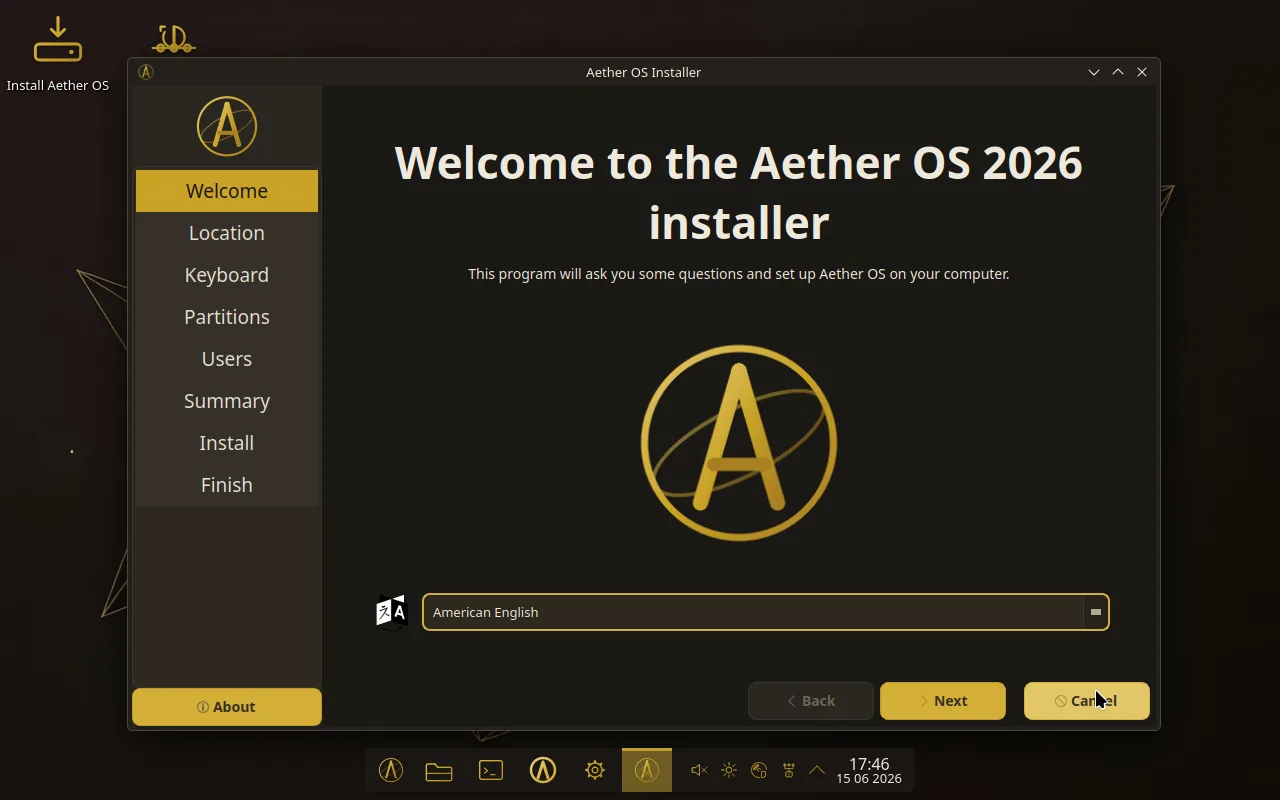
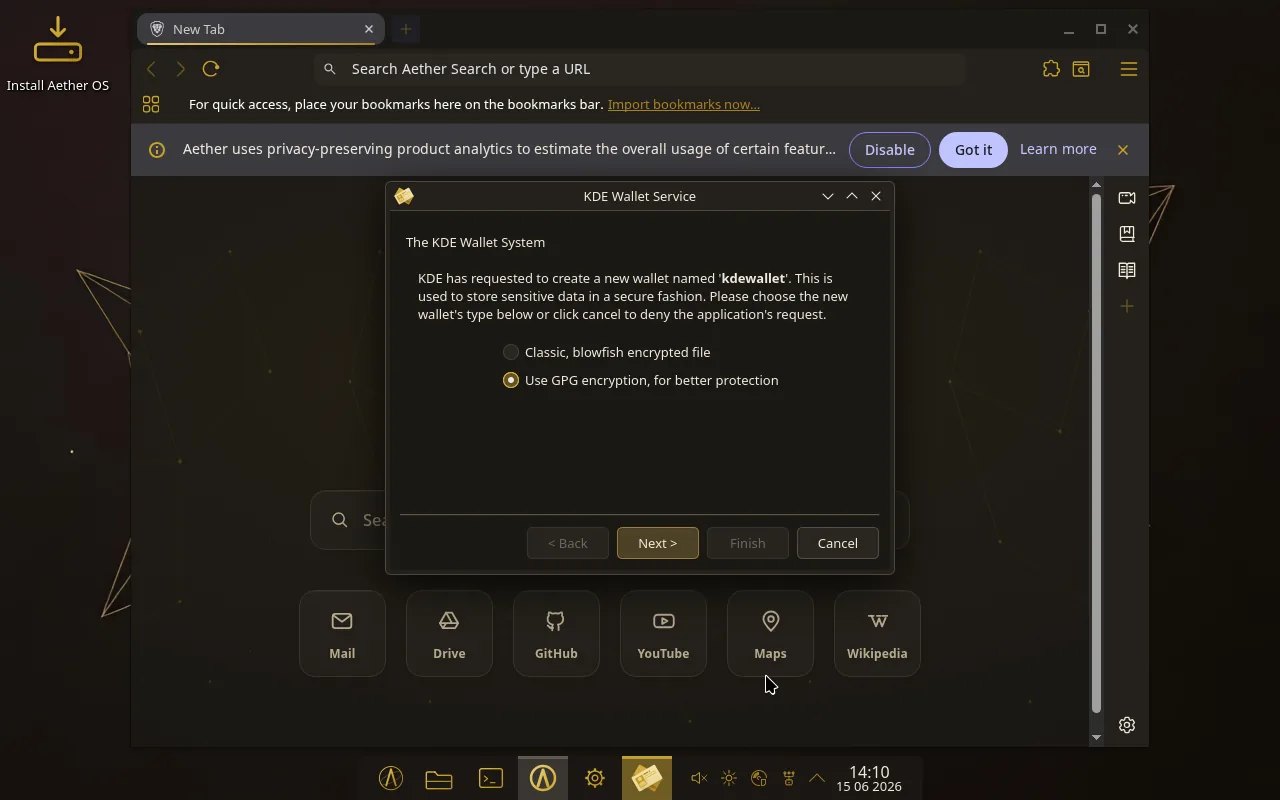
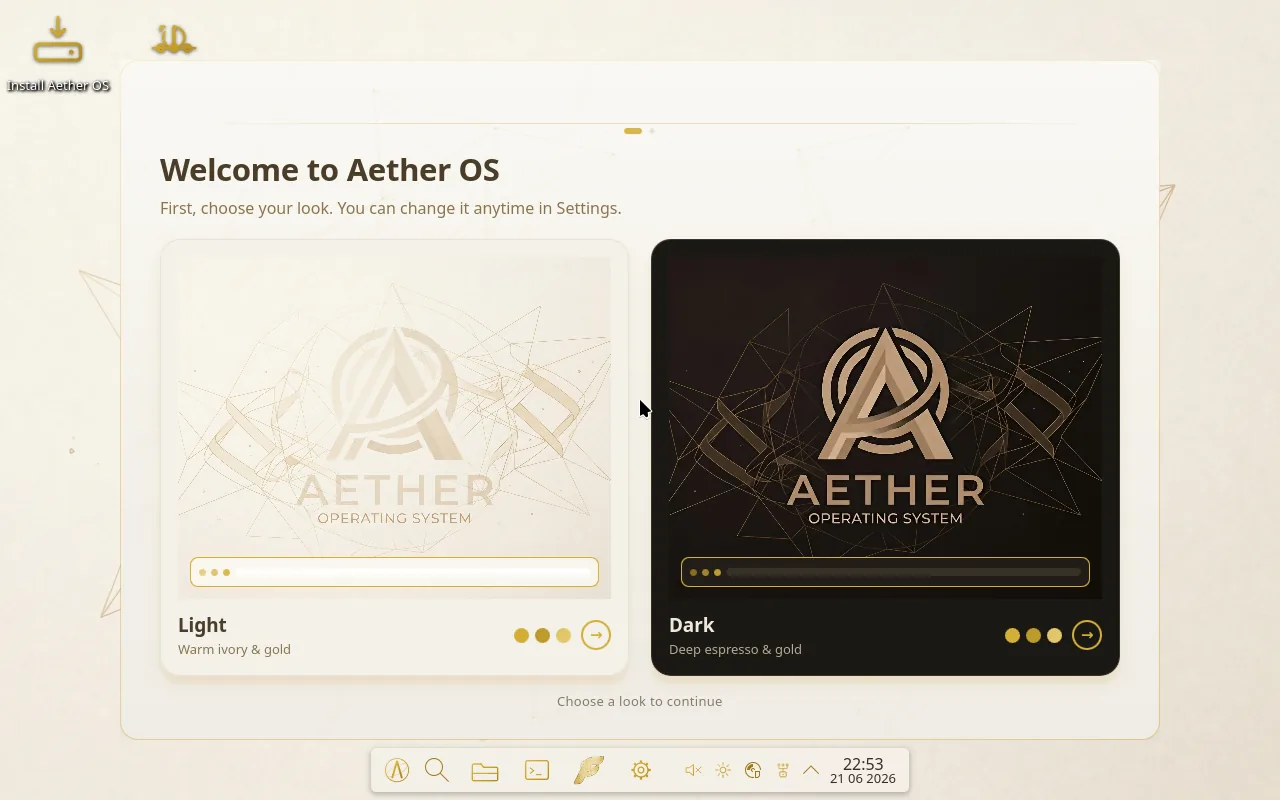
Plates 1 through 5 Captured on Aether OS 2026.
One image, ready to flash.
Aether OS 2026, the latest build, weighs in at about 4.8 GB. No account, no tracking: download it, write it to a drive, and boot.
Public mirror coming soon.
- Version
- Aether OS 2026
- Size
- about 4.8 GB
- License
- Free and open
After downloading, check the SHA-256 sum against the published value. The line below is an example of the shape, not the real hash.
$ sha256sum aether-os-2026.iso
a1b2c3d4e5f60718293a4b5c6d7e8f901a2b3c4d5e6f70819 2a3b4c5d6e7f8091 aether-os-2026.iso (example only)
From download to desktop, five steps.
A short, plain procedure. Follow it in order and you will be on your new desktop in minutes.
- 01
Download the ISO
Grab the latest Aether OS 2026 image from the download section above.
- 02
Flash it to a USB drive
Use Balena Etcher for the easiest path, or Rufus on Windows. On Linux or macOS you can use dd, but first confirm the drive name with lsblk: dd erases its target completely, with no undo.
CMDWrite the image to your USB drivesudo dd if=aether-os-2026.iso of=/dev/sdX bs=4M status=progress oflag=sync - 03
Boot from the USB
Restart, open the boot menu (often F12 or Esc), and pick the USB drive in UEFI mode.
- 04
Run the installer
The themed Calamares installer walks you through language, disk, and your account. Choose Erase disk for a clean install, or partition manually if you prefer.
- 05
Make it yours
On first boot, the Welcome screen lets you pick your look (light or gold dark) and your specialty (Developer, Gaming, or Cybersecurity). That is it, you are home.
Stuck anywhere, the community is glad to help. Join the Discord.
Write to a human.
Aether is built by a person, not a company. Questions, kind words, bug reports, and admissions officers are all answered at the same address.
Electronic mail
contact@aboutbeyrem.comRun by Beyrem, who reads everything himself. Expect a real reply, not a ticket queue.
- Founder
- Beyrem, on GitHub
- Co-founder
- Joey Koch, on GitHub
- Community
- Discord server
No accounts team, no press office. The address above reaches the person who wrote the code.